OpenMosh
Glitch art in your browser
Drop in a photo or a video, pile on effects until it falls apart, hook
the whole thing up to a song and save the result. OpenMosh is free,
open source and inspired by PhotoMosh. Everything runs on your own
device, so nothing gets uploaded.
Three modes
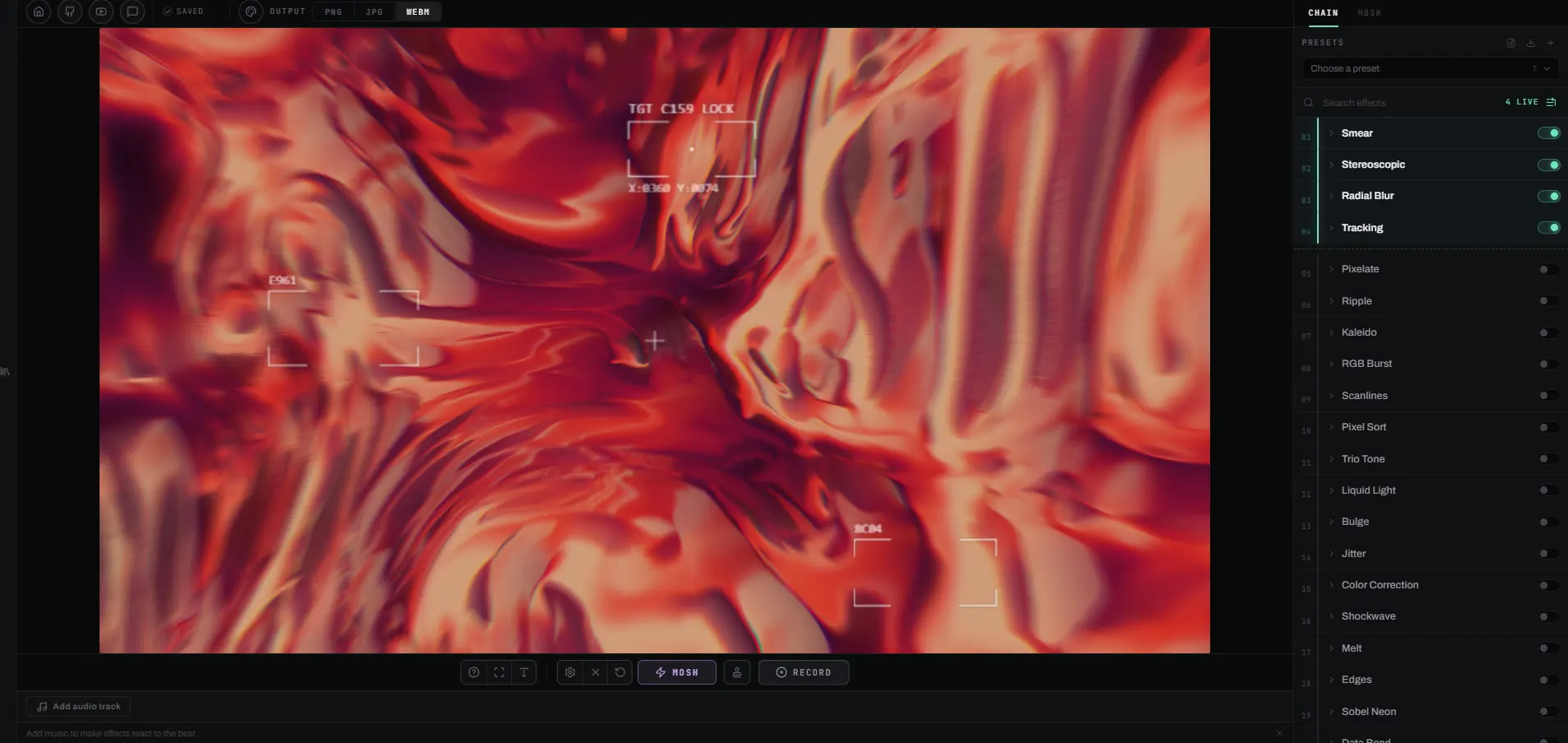
Single
One image or video. Hit Mosh and you get a random stack of glitch
effects. Tweak them one at a time, or lock the ones you like and
roll the rest again. The Curated style picks effects that work
together and runs them in a sensible order. Add a song and any
effect setting can follow a frequency band of it, so the distortion
moves with the music. Animated GIFs come in as short clips, and SVGs
are redrawn sharp at the output size.
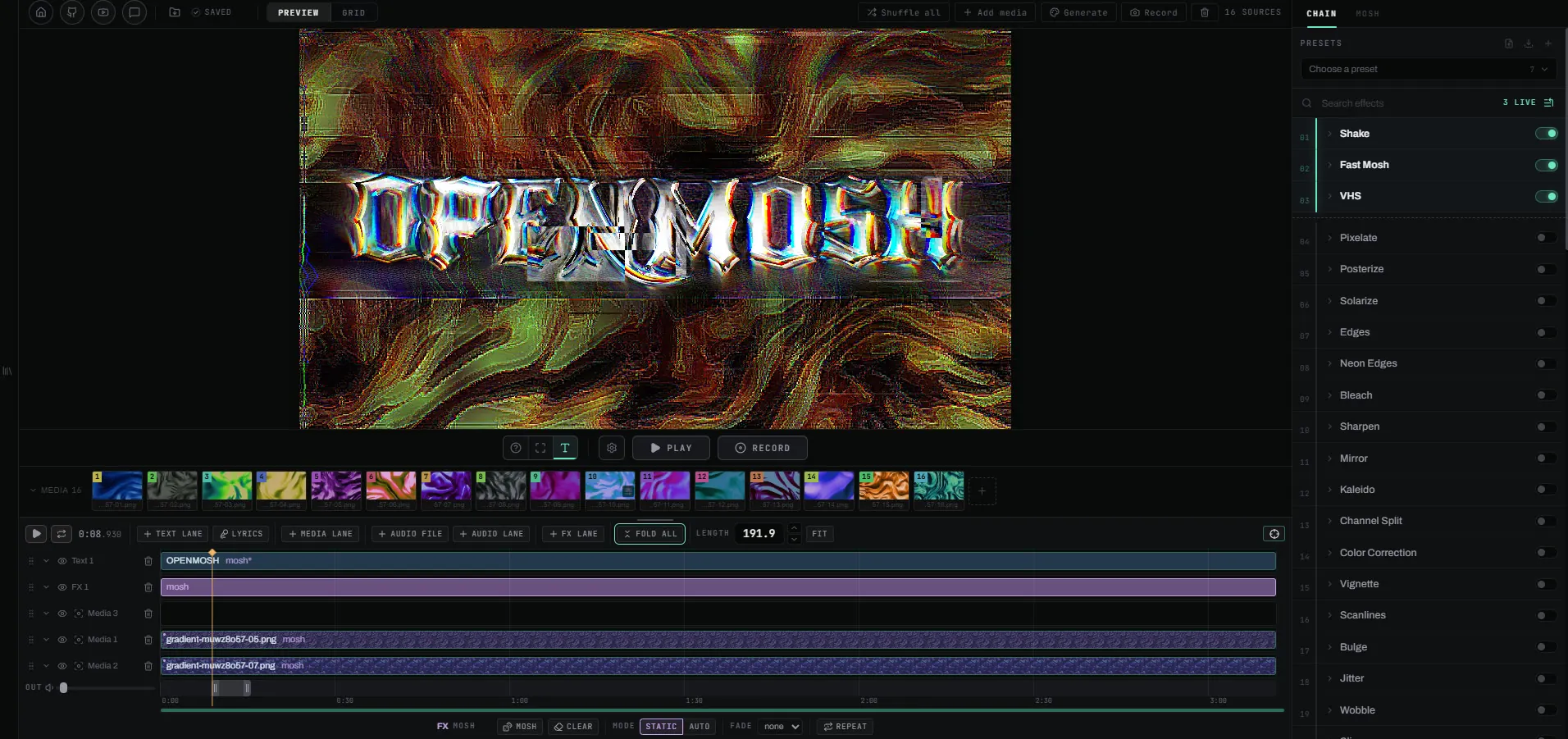
Editor
A timeline built around your song. Lay your media out as clips on
layers, give each clip its own mosh, and run effect lanes over the
whole frame. Text has its own lanes. Any clip can be cropped, keyed
or erased by hand, and play at its own speed. 3D models go on layers
too (OBJ, STL, GLB, FBX and PLY), and animated ones play their
animation. Save the project as a .openmosh file and the
media, the song and the fonts travel with it.
Slideshow
The fast one. Throw in a pile of images or videos and a track.
OpenMosh finds the BPM and cuts between them on the beat, with
effects firing on the grid. No track? Set the tempo and length
yourself. Slideshows and single edits save to project files too.
70 effects
They start with the tame ones (pixelate, posterize, blur) and go
through the usual glitch vocabulary: data bend, pixel sort, VHS,
channel split. Some follow motion, or whatever part of the frame
stands out. A Mask effect keeps the effects above it inside a shape, a
gradient, the bright parts of the picture, colors you pick or an area
you paint. Strobes, rolls and pulses can run free or lock to the beat.
Your files stay yours
There's no account, no server and no upload. Your files are read
straight from disk, your GPU renders them with WebGL2 and your browser
writes the export. Projects are kept in the browser's own storage, and
after the first visit OpenMosh works offline. Two things go over the
network, and only when you use them: a message you send through the
feedback form, and a font you add from a link.
Export and requirements
Videos export as WebM or MP4 with sound. MP4 needs a browser that can
encode H.264, as Chrome and Edge can. There's no GIF export. A recent
Chromium browser (Chrome, Edge, Brave, Arc) is what OpenMosh is built
and tested on. Firefox and Safari can load it, but their support for
the video encoder that export needs is newer and patchier. Any GPU
from the last ten years previews fine, and long exports finish faster
on a CPU with more cores.
Open source
OpenMosh is MIT licensed. The code, the changelog and the credits for
the effects it ports are
on GitHub. Videos
made with it are
on YouTube and
Instagram.